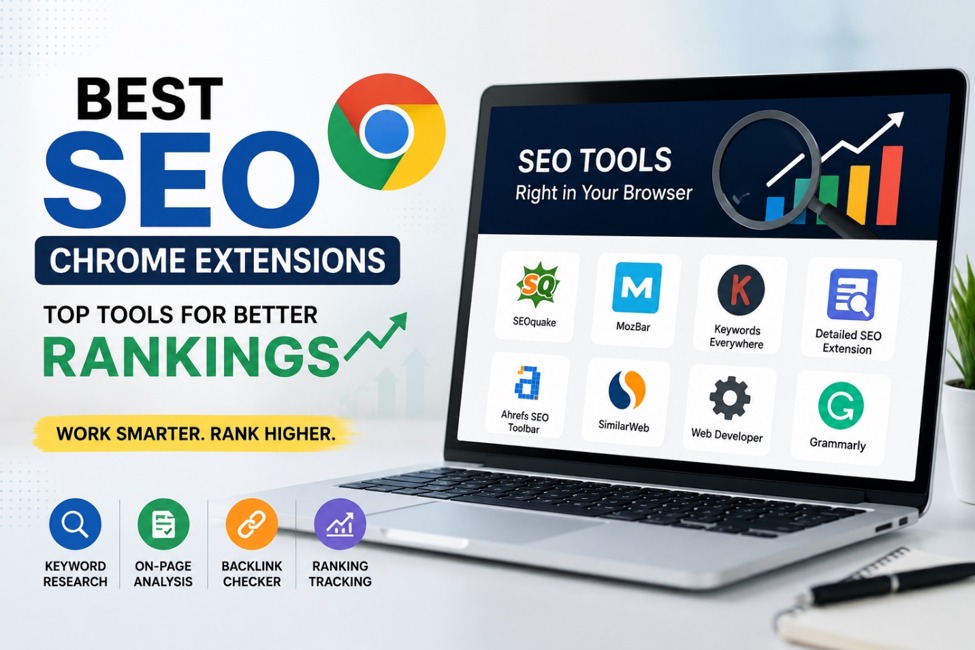
Search engine optimization has become more competitive than ever. Whether you’re a blogger, digital marketer, business owner, or SEO specialist, using the right Chrome extensions can make your workflow faster and more effective. Instead of opening multiple tools and tabs, these extensions provide valuable SEO insights directly in your browser. From checking meta tags to analyzing backlinks and researching keywords, the best SEO Chrome extensions help you make smarter decisions in minutes. Here are the top extensions worth adding to your browser in 2026.
Install the right SEO extensions today and optimize your website faster with less effort.
Best SEO Chrome Extensions in 2026
Detailed SEO Extension

Detailed SEO Extension is one of the most popular tools for on page SEO analysis. It instantly displays title tags, meta descriptions, headings, schema markup, canonical URLs, and indexing information.
Why It’s Useful
Detailed SEO Extension is a powerful tool for performing quick technical SEO audits without the need for advanced technical knowledge. It allows users to analyze heading structures, view essential metadata such as title tags and meta descriptions without inspecting the page’s source code, and identify key on-page SEO elements in seconds. These capabilities make it an excellent choice for content writers, SEO professionals, and website owners who want to optimize web pages efficiently and improve overall search engine performance. If you’re publishing content regularly, this extension helps you identify optimization opportunities before hitting publish.
Start auditing every page before publishing and improve your chances of ranking higher.
MozBar

MozBar gives instant access to important SEO metrics while browsing any website. It displays Domain Authority (DA) and Page Authority (PA) and lets you compare competitors without leaving the page.
Best Features
MozBar provides instant access to essential SEO metrics, making it easier to evaluate the authority and performance of any website. Beyond displaying SEO metrics, MozBar helps users evaluate the relative strength of websites before investing time in outreach, guest posting, or backlink acquisition. This makes it an excellent tool for strategic link-building and competitive SEO analysis. These features help marketers, SEO professionals, and link builders analyze competitors, assess backlink opportunities, and make more informed SEO decisions with minimal effort. It’s especially helpful for backlink research and competitor analysis.
Use MozBar to discover stronger backlink opportunities and outperform competitors.
SEOquake

SEOquake remains one of the most comprehensive free SEO Chrome extensions available. It provides detailed reports for any webpage and allows users to compare SEO metrics quickly.
Key Benefits
SEOquake provides a comprehensive set of SEO insights to help improve website performance and search visibility. It enables users to perform detailed on-page SEO audits, analyze keyword density, review internal and external link reports, and compare SEO metrics directly within search engine results pages (SERPs). These features make it an excellent tool for evaluating your own website, researching competitors, and identifying opportunities to strengthen your overall SEO strategy. Whether you’re analyzing your own site or researching competitors, SEOquake delivers valuable insights.
Run a complete SEO audit in seconds and uncover areas for improvement.
Keywords Everywhere

Keyword research is the foundation of successful SEO, and Keywords Everywhere simplifies the process by showing search volume, CPC, and keyword competition directly within Google search results.
Why Marketers Love It
Keywords Everywhere simplifies keyword research by providing valuable data directly within your search results. It offers related keyword suggestions, long tail keyword ideas, search volume metrics, and cost per click (CPC) information, helping marketers and content creators discover high-potential keywords. With these insights, you can create data-driven content strategies, target the right audience, and improve your chances of achieving higher search engine rankings. This extension saves hours of manual keyword research and helps content creators identify topics with ranking potential.
Find high value keywords before writing your next blog and attract more organic traffic.
Ahrefs SEO Toolbar

The Ahrefs SEO Toolbar offers valuable insights for technical SEO and competitor research. It displays HTTP status codes, redirect paths, broken links, and page metadata.
Top Features
The Ahrefs SEO Toolbar includes a range of technical SEO features that help maintain a healthy website. It allows you to identify broken links, analyze redirect paths, check page indexability, and diagnose technical SEO issues that could affect your search rankings. These insights enable website owners and SEO professionals to resolve problems quickly, improve crawlability, and ensure their websites remain optimized for both users and search engines. Website owners can quickly identify technical issues that may impact rankings.
Fix technical SEO problems early to keep your website healthy and search engine friendly.
Tips for Choosing the Right SEO Chrome Extension
Not every extension fits every workflow. Consider your primary SEO goals before installing multiple tools.
Choose extensions that help with:
When choosing an SEO Chrome extension, focus on tools that align with your specific workflow and optimization goals. The best extensions should help with keyword research, technical SEO audits, on-page optimization, backlink analysis, competitor research, and content quality improvement. By selecting tools that cover these essential areas, you can streamline your SEO process, improve website performance, and make more informed optimization decisions without relying on multiple complex platforms. Using a combination of two to four reliable extensions is usually enough to streamline your SEO tasks without slowing down your browser.
Build your own SEO toolkit with extensions that match your goals and improve productivity.
Frequently Asked Questions (FAQs)
What is the best SEO Chrome extension for beginners?
If you’re just starting with SEO, Detailed SEO Extension and SEOquake are excellent choices. They provide easy to understand insights into on page SEO, meta tags, headings, and technical elements without requiring advanced knowledge.
Are SEO Chrome extensions free to use?
Many popular SEO Chrome extensions offer free versions with essential features. Tools like SEOquake and Detailed SEO Extension are free, while extensions such as Keywords Everywhere and Ahrefs SEO Toolbar provide additional premium features for more advanced SEO research.
Do SEO Chrome extensions help improve Google rankings?
SEO Chrome extensions don’t directly increase your Google rankings. Instead, they help you identify SEO issues, optimize content, perform keyword research, analyze competitors, and improve your website’s overall SEO, which can lead to better search engine rankings over time.
Choose your best tool for SEO
SEO Chrome Extension | Best For | Key Features | Free Version | Ideal Users |
Detailed SEO Extension | On-Page SEO Audits | Meta tags, headings, schema markup, canonical URLs | Yes | Bloggers, Content Writers, SEO Professionals |
MozBar | Competitor & Authority Analysis | Domain Authority, Page Authority, Link Analysis, SERP Metrics | Limited | SEO Specialists, Link Builders |
SEOquake | Complete SEO Audits | On-page audit, keyword density, link reports, SERP comparison | Yes | Beginners & Advanced SEOs |
Keywords Everywhere | Keyword Research | Search volume, CPC, keyword difficulty, related keywords | Limited Credits | Content Marketers, Bloggers |
Ahrefs SEO Toolbar | Technical SEO | Broken links, redirects, HTTP status codes, indexability | Limited | Technical SEOs, Website Owners |
Final Thoughts
The best SEO Chrome extensions help simplify complex optimization tasks, saving valuable time while improving website performance. Whether you’re researching keywords, auditing pages, checking backlinks, or creating better content, these tools can significantly boost your SEO workflow. Remember that extensions don’t replace a solid SEO strategy they enhance it. Pair these tools with valuable content, a fast website, and a positive user experience to achieve long term organic growth.
Ready to grow your website? Install these SEO Chrome extensions, optimize every page with confidence, and start building stronger search rankings today.
Comments
5 responses to “Best SEO Chrome Extensions in 2026: Top Tools to Improve Rankings and Save Time”
Great roundup! I’ve been using Detailed SEO Extension, and it has saved me so much time during on page audits.
Thanks for sharing this list. I discovered a couple of extensions I hadn’t heard of before.
Very informative article! Looking forward to more SEO tool recommendations.
Ahrefs SEO Toolbar has been a game-changer for finding technical SEO issues.
I use MozBar daily for competitor analysis. It’s definitely worth trying.